What does a sprint start app need to do?
A useful sprint start app should do more than play one predictable gun sound. The athlete needs enough time to reach the blocks, clear starter commands, a Set hold that cannot be guessed, and controls a coach can reach quickly when a start must be recalled or reset.
RaceCue is designed around that complete training flow. It can run a simple free start sequence or a fuller Premium session with different starter voices and languages, timing presets, competition pressure, camera-based tools, structured repetitions and locally stored history.
RaceCue is available for iPhone through the App Store and for Android through Google Play. The core app is free to download. Phone Premium is a permanent one-time unlock. Pro adds supported watch training, with monthly and one-off options. Apple Watch support is available for iPhone with RaceCue Pro.
Practise a realistic start sequence
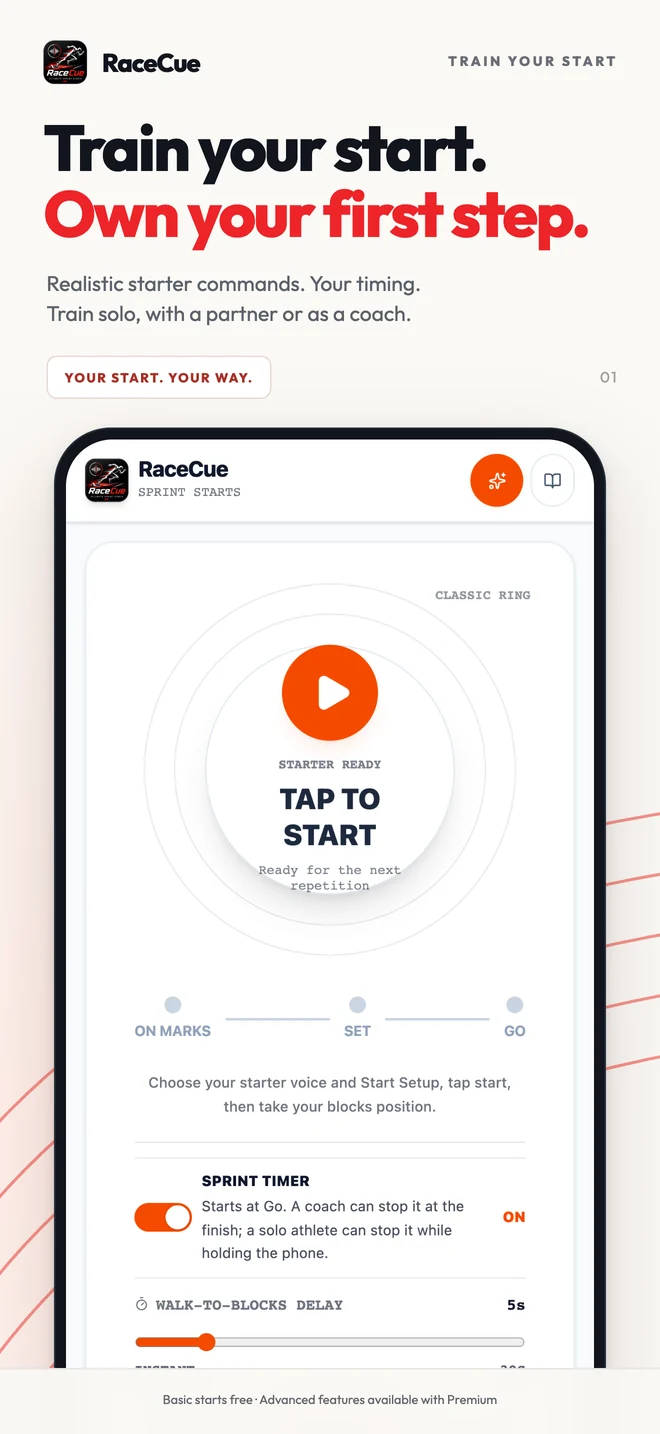
For sprint events, the rhythm before the gun matters. RaceCue separates the walk-to-blocks delay, the time from On Your Marks to Set and the Set hold. That lets an athlete practise waiting for the command instead of memorising one fixed recording.
- Walk-to-blocks delay: gives a solo athlete time to put the phone down safely and reach the start position.
- On Your Marks to Set: can reflect a quick local session or a longer championship-style settling period.
- Set to Go: can vary within a chosen range so the athlete responds to the signal rather than counting.
- Recall and Stand Up: let a coach interrupt and reset a start without rebuilding the setup.
Optional atmosphere, trackside distractions, stand-ups, recalls and misfires can make a session less predictable. These are pressure-training tools, so they should be introduced deliberately rather than switched on for every rep.
Reaction practice without false precision
RaceCue includes touch, phone-movement and camera-assisted reaction practice, with Apple Watch wrist reaction feedback available in the iPhone app. Each method measures a different event: a screen tap, movement of the phone, or visible movement in the camera frame. Results are most useful when the athlete repeats the same method with the same setup and compares trends over time.
The app keeps recent Reaction Challenge attempts and a personal best, making it easier to see consistency as well as the fastest single response. A fast result is useful, but a start session should still consider patience in Set, first-step quality and the ability to reproduce the movement.
Read the full sprint reaction-time training guide for a clearer explanation of what each measurement can and cannot tell you.
Camera, video and coach tools
A phone mounted safely side-on can prepare camera Start Detection or record Start Video. Camera tools are useful for reviewing the first visible movement, block exit and early acceleration, but lighting, frame rate, angle, clothing and shadows can all affect an estimate.
Coaches can also run structured repetitions, use recovery timing, assign athletes or lanes, keep notes and review session history. A nearby Bluetooth speaker can improve audibility, although wireless audio delay varies and should not be treated as a precision timing reference.
What to look for when choosing a sprint start app
- Unpredictable but controllable timing. Randomness should sit inside ranges the coach understands.
- Commands athletes actually recognise. Voice, language and signal should suit the training group.
- Controls that remain obvious during a live start. Stop, Recall, Stand Up and Restart should not be buried in settings.
- Useful history. The app should help review repetitions, not simply produce a one-off number.
- Honest measurement labels. Phone motion and camera results are training estimates, not block-force or photo-finish timing.
- Practical privacy. RaceCue does not require an account, and its training data is handled locally as described in the privacy policy.
Where a phone app stops
Official reaction time is measured by competition systems connected to the starting signal and starting blocks. A phone beside the track cannot measure force through both block pedals, and a handheld or body-mounted phone measures movement at its own location. RaceCue therefore labels reaction and sprint results as training estimates.
That limitation does not make practice useless. It means the number should be interpreted alongside video, coaching observation and repeatability. Use RaceCue to organise realistic starts and identify trends; use certified equipment when an official result is required.